
If you have a spreadsheet full of records and a web form that needs to be completed repeatedly, the phrase CSV form filler sounds like the obvious answer. Upload the file, map columns to fields, and fill one row after another.
That workflow can be useful. It is also a different product category from a context-aware AI form filler.
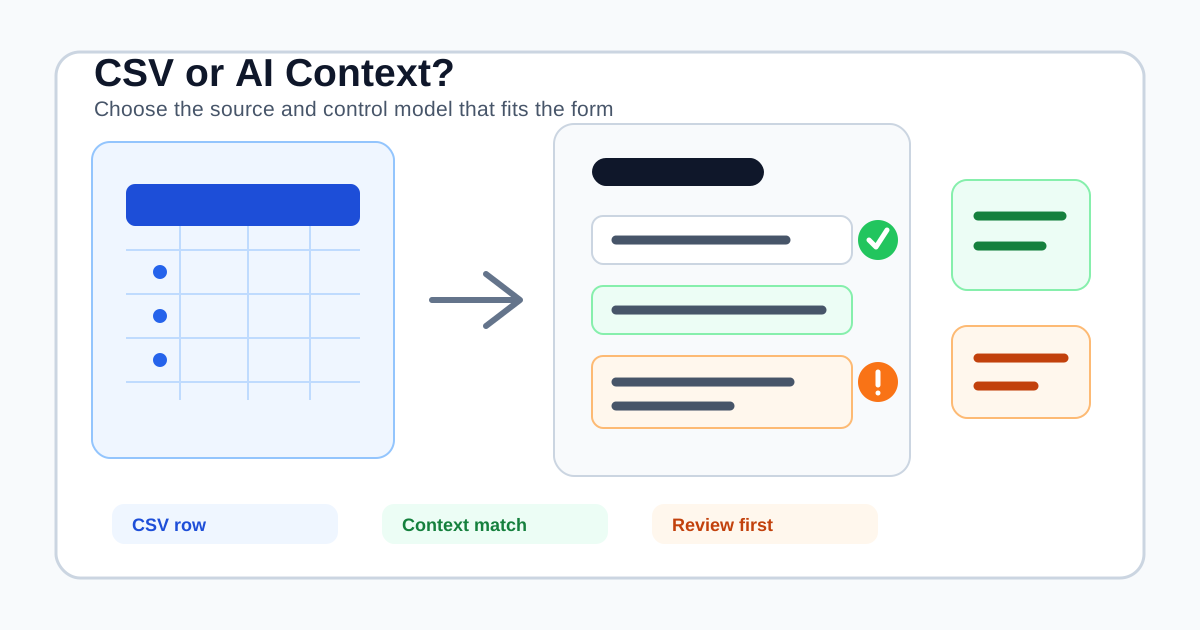
The important question is not simply, “Can an AI form filler autofill from CSV?” It is: Do you need deterministic row-to-field entry, or do you need a reviewed answer drafted from the meaning of the page?
This guide explains the difference, what to check before buying, and why SmartAutoFill is designed for the second workflow rather than bulk CSV submission.
What a CSV form filler actually does
A CSV form filler treats a spreadsheet as the source of truth. The usual workflow is:
- Upload or connect a CSV file.
- Match a column such as
emailorpostal_codeto a browser field. - Select a row.
- Fill the current form from that row.
- Move to the next record, sometimes through a success page or an “add another” action.
The CSV to Form Autofill listing in the Chrome Web Store describes this basic column-to-field model. Open-source projects in the same category add visual mapping, batch progress, navigation handling, and record-by-record controls.
That makes a CSV form filler a good fit when all of these are true:
- Each row represents one clear record.
- The destination form is stable enough for a repeatable mapping.
- The values are already final and do not need interpretation.
- You have a controlled process for duplicates, failures, retries, and approvals.
- A human or an approved workflow owns the decision to submit each record.
It is closer to a browser-side data-entry utility than to a general AI assistant.
What a context-aware AI form filler does instead
An AI form filler starts with the visible form and asks what each field means. It may use a saved profile, pasted context, a scenario, or selected materials to draft values for compatible fields.
The workflow is usually:
- Open an existing form in the browser.
- Select the profile or context that belongs to this task.
- Scan visible labels, instructions, options, and nearby page context.
- Generate and apply a draft to compatible fields.
- Review the page, correct anything that needs judgment, and submit manually.
This is useful when the form does not map cleanly to a row of cells. A prompt such as “describe the project goal,” “explain your current process,” or “summarize the relevant experience” needs context, not just a column named description. The answer may need to change for each destination even when the underlying source is the same.
SmartAutoFill is built for this browser workflow. Its AI form filler product overview describes visible-field detection, reusable profile facts, richer pasted context, hosted credits, and review on the page. It does not currently present itself as a CSV uploader, row-mapping engine, or bulk submission tool.
CSV mapping and AI context are not interchangeable
The two approaches answer different kinds of uncertainty.
| The form asks... | CSV mapping is strongest when... | Context-aware filling is stronger when... |
|---|---|---|
| “Email address” | The row has one verified email column | The user must choose which profile or account applies |
| “Company name” | Every row has a final company value | The source has several entities and page context identifies the right one |
| “Project description” | The cell contains a finished, approved description | The answer should be drafted from a brief and the wording of this form |
| “Select your service” | The value exactly matches a stable option | The question has surrounding instructions or a changing set of choices |
| “Attach the supporting file” | The row has a controlled file reference and upload process | A compatible stored material must be matched and checked before upload |
Row mapping is deterministic. That is its strength. It can also be dangerously literal: a stale value, wrong row, wrong account, or mismatched option may still look like a successful fill.
AI context is flexible. That is its strength. It also requires a review step because a generated answer can be incomplete, overly broad, or based on the wrong source.
Neither approach should be judged by whether it fills the largest number of fields. Judge it by whether the resulting record is correct, attributable, and safe to submit.
The customer journey behind the purchase
The buying intent usually falls into one of three paths.
Path 1: Repeating a controlled data-entry operation
You have a known dataset, one destination form, and a process for each record. Your priority is column mapping, stable selectors, progress tracking, duplicate detection, and an explicit failure report. A CSV form filler or a dedicated integration may be the right starting point.
Do not assume a browser extension is enough. If the workflow needs record creation, idempotency, audit logs, permissions, approvals, or a system-of-record update, evaluate an API or operations platform as well.
Path 2: Completing different forms with the same business context
You are a salesperson, recruiter, consultant, support agent, or operations user who moves known facts through different web forms. The fields have different labels and the free-text prompts change. Your priority is reusable context and a reviewable draft.
This is where an AI form filler Chrome extension can be more useful than a CSV mapper. You are not processing a queue of rows. You are preparing the next form in front of you.
Path 3: Collecting data from other people
You own the form and need to ask questions, validate responses, route submissions, notify reviewers, or analyze completion. You need a form builder or workflow system, not a filler. The AI form filler versus form builder comparison explains that category boundary in more detail.
The same team can have all three paths. Keep the owner, source of truth, and submission responsibility clear instead of forcing one tool to cover unrelated jobs.
What to check before using a CSV file
CSV files are convenient because they are portable. That also makes them easy to over-share, misread, duplicate, or retain longer than intended.
Before uploading a file to any tool, check:
- Column scope: remove fields that the destination form does not need.
- Row identity: define the stable identifier that distinguishes one record from another.
- Freshness: record when the export was made and who approved it.
- Option values: confirm that country, status, category, and other values match the destination's choices exactly.
- Duplicates: decide how to detect an existing record before creating another one.
- Failure handling: preserve the row number and reason when a field cannot be filled.
- Retention: know whether the file is stored locally, in browser storage, or on a vendor's servers.
The ICO's data minimisation guidance describes the general rule: personal data should be adequate, relevant, and limited to what is necessary for the stated purpose. A forty-column CRM export is rarely necessary just because one form asks for three values.
Do not upload passwords, payment card data, bank details, verification codes, government identifiers, health information, or other highly sensitive material to a general form filler. Use a purpose-built system and follow the data-handling rules that apply to your organization.
Where SmartAutoFill fits
SmartAutoFill's current model is a selected source plus a visible browser form. A standard saved profile can provide stable contact, company, role, website, social, and signature facts. Pasted context or paid AI Materials Pro can provide richer information for a particular workflow when the current plan supports it.
That source is not a row queue. It is context for a draft.
Use Safe Mode for real forms and serious records. More Mode can ask hosted planning to consider additional supported candidates on lower-risk pages, but it does not make passwords, payments, CAPTCHA, identity fields, signatures, checkboxes, radio buttons, or final submission safe to automate.
For attachments, hosted mode may match one eligible stored material to a compatible native file input. You still inspect the selected file and submit manually. The supported fields and data-handling reference documents the current boundary; custom-provider mode does not support AI Materials or file filling.
Before trying a live workflow, use the public AI form filler test page with non-sensitive data. Check whether the page uses ordinary native controls, whether the generated values match the intended source, and which choices remain manual.
The trust path: one record, one review, one decision
The safest default for browser form filling is one record at a time, with a visible review before submission. That does not mean every workflow must be slow. It means the operator can answer three questions before the final action:
- Is this the correct destination and account?
- Did the source data belong to this record and this purpose?
- Does the final page say what the organization intends to send?
Bulk CSV tools can provide their own controls for those questions, but the controls must exist and be tested. A progress bar is not an audit trail. A successful page load is not proof that the correct record was created. A CAPTCHA pause does not make automatic submission appropriate.
SmartAutoFill drafts and applies compatible field values for review. It does not blindly submit forms. The user remains responsible for accuracy, attachments, consent, legal and financial statements, passwords, payment fields, and the final action.
The negative ICP: when a CSV form filler is the wrong purchase
Do not choose a form filler for:
- Spam, fake survey responses, or mass outreach.
- Credential stuffing or bypassing CAPTCHA, OTP, or account controls.
- Payment, banking, tax, identity-verification, or regulated claims workflows.
- Sending the same unreviewed answer to hundreds of destinations.
- Replacing a CRM, API integration, approval system, or secure data-processing agreement.
- Uploading a full customer export when the task needs only a few non-sensitive fields.
These are not merely feature gaps. They change the accountability, privacy, and operational requirements of the system. A tool that can type into a browser should not automatically become the owner of the records it touches.
A short buying checklist
Choose a CSV form filler when you need:
- Stable row-to-field mappings.
- A controlled, repeatable destination form.
- Per-record progress and failure handling.
- Explicit duplicate and submission controls.
Choose SmartAutoFill when you need:
- Reusable profile or scenario context across different forms.
- Semantic help with labels, instructions, and longer text.
- A draft applied to the current page for inspection.
- Safe and More Mode boundaries around sensitive fields.
- A browser-side helper that leaves final submission with the user.
If you are evaluating hosted usage, review SmartAutoFill pricing after testing a representative workflow. The right choice is not the tool that promises to fill every row. It is the tool whose source model, controls, and trust path match the records you are actually responsible for.
CSV-to-form automation can be valuable for a narrow, controlled operation. Context-aware AI form filling solves a different problem: helping a person understand and complete the next form without repeating the same source preparation. Start with the job, identify the source of truth, and keep review and submission with the accountable operator.