
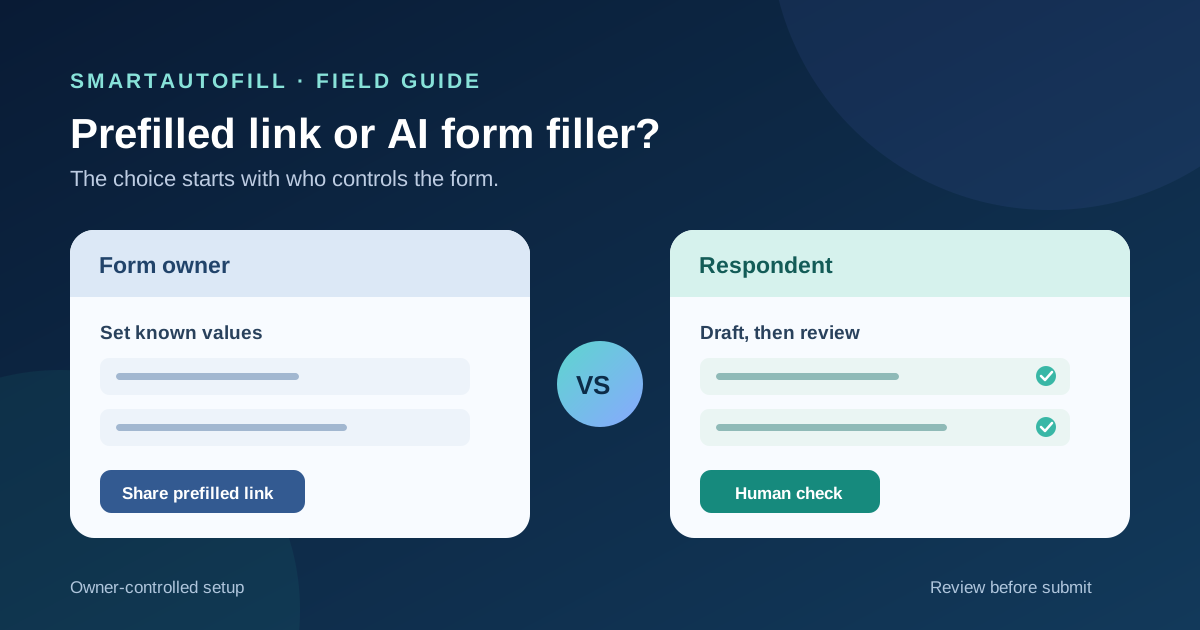
Someone says, “Why pay for an AI form filler when I can send a prefilled link?” The answer depends on who controls the form. If your team owns a known form and already has the recipient's approved data, its built-in prefill feature may be the simplest option. If your team is the respondent, opening different forms owned by customers, partners, or suppliers, you usually cannot configure those forms' prefill settings. You can still use a link the owner gives you, but it only helps with that particular form and the values it carries.
This is a buying guide for operations teams that repeatedly answer legitimate third-party forms and want to reduce typing without losing review. It compares a form owner's distribution feature with a respondent's browser-side drafting tool. Neither approach validates a claim or submits on the user's behalf.
The ownership question comes first
In Google Forms' pre-filled answer workflow, a person working with the form opens its menu, chooses Pre-fill form, enters the values to pre-populate, and copies a link to send to responders. Jotform's Prefill guidance is even more explicit about the role: the form owner prepopulates data and shares a URL with users. A recipient can inspect and complete what they receive; they do not thereby gain control over the owner's form configuration.
That distinction is practical, not just a product label. A customer intake owner may know the customer's name and account number and send a partially completed form. A consultant responding to a new procurement questionnaire cannot normally create an owner-managed prefill for that customer's portal. They need their own approved answers and a way to work through the visible fields the portal presents.
Before comparing tools, ask:
- Do we own or administer the destination form?
- Is it one stable form, or a stream of different forms from other organizations?
- Who knows the correct values, and who is authorized to share them?
- Does the form include sensitive, legal, payment, password, or consent fields that must be completed personally?
- Who checks the response and presses Submit?
The answers tell you whether a prefilled link, an AI form filler, or a more governed workflow deserves evaluation.
When a prefilled link is the better tool
Choose built-in prefill when your team owns a recurring form and already has trusted data for a recipient. It can reduce repeated entry without asking the respondent to install an extension. A support team might send a customer a form with an approved case number and contact details already present; the customer supplies the missing facts and reviews the whole response.
Jotform describes owner-created prefilled URLs that can be shared directly. Its manual prefill documentation says invited users can edit the prefilled data by default, while an owner may change that permission. These behaviors are platform-specific. Inspect the actual form and its settings rather than assuming every prefill link works the same way.
Prefill is also attractive when the form owner wants a consistent distribution process: a known question set, known recipients, and a record of which link went to whom. If the owner needs branching, permissions, response routing, or analytics, those choices belong in the form platform or workflow system. The form filler versus form builder guide explains that ownership boundary more broadly.
A prefilled link still needs care. Confirm that it points to the intended form and recipient. Review the displayed values before sending or submitting. Do not place secrets, passwords, payment data, or unnecessary personal information into a link or URL parameter. Links can be forwarded, copied into tickets or chat, and processed by systems beyond the form itself. Use the platform's access controls and data-handling guidance for sensitive cases.
When a review-first AI form filler is a better fit
Choose a respondent-side form filler when you must complete a small number of changing third-party forms using your own approved profile or context. The forms may ask for similar facts in different words: company description, service region, support process, project history, or contact details. You cannot change their questions, create owner-managed prefill links, or assume the next portal has the same fields as the last.
SmartAutoFill's AI form filler works on the current browser page. With a selected saved profile or context, it can draft and fill compatible visible fields for a person to inspect. That is useful for ordinary questions whose answers already exist in an approved source. It does not create a reusable link for someone else's form, navigate every portal step, verify the facts, or submit automatically.
Hosted AI usage consumes credits; see the current pricing options. Safe Mode is a conservative starting point. In hosted mode, More Mode can consider additional supported candidates during planning while the same sensitive and unfillable guards apply. The Safe Mode and More Mode guide explains the difference. Neither mode makes a judgment about consent or legal terms.
Paid hosted AI Materials Pro can use selected approved materials as context. It can place one clearly matched stored file into a compatible native file input; it does not promise to handle a custom upload widget, multiple attachments, or document approval. Custom-provider mode does not include AI Materials or file filling. If attachments decide your purchase, use the file-upload buying guide to check that boundary.
Test with non-sensitive information on the public sample form, then inspect the actual destination. A form may reveal new fields after a user makes a choice, use custom controls, or require account-specific steps. A browser-side tool is helpful only where the real page exposes compatible fields and the proposed values can be reviewed.
A side-by-side decision table
| Situation | Better starting point | Why |
|---|---|---|
| You own one stable form and know a recipient's approved details | Built-in prefilled link | The form owner controls the fields and distribution |
| The owner sends you a valid prefilled link | Use and review that link | The owner has already supplied some values for this form |
| You answer many organizations' changing browser forms | Review-first AI form filler | Your selected context can help draft ordinary visible fields across destinations |
| The form needs approvals, routing, and a response audit trail | Form or workflow platform | The problem extends beyond field entry |
| The task needs password, payment, legal, or consent decisions | Human through the intended controls | Neither prefill nor AI should decide those commitments |
The comparison is not about which feature is more “automatic.” It is about who owns the form, who owns the source facts, and where the final decision sits.
A safe workflow for a third-party form
1. Check for an owner-provided shortcut
If the sender supplied a prefilled link, open it from a trusted source and confirm it is for the intended organization and task. Read every populated value. A stale contact, wrong account, or previous recipient's details should be corrected before you proceed. If the owner did not provide a link, do not invent query parameters or attempt to bypass access controls.
2. Select only the relevant context
Use a saved profile that belongs to the person or organization responding. Keep current facts separate from old versions and from other clients. Include enough context for the ordinary questions, but leave out secrets, payment details, and unnecessary personal data. If a source contains a claim that requires authorization, get that approval before it becomes an answer.
3. Fill compatible fields and inspect them
Draft ordinary visible fields, then compare each value with the approved source and the question's wording. “Company revenue” and “project budget” are not interchangeable; neither is “headquarters” and “billing address.” If a form branches after your choice, make the choice yourself and review the new fields. Unsupported custom controls stay manual.
4. Keep commitments with the right person
Handle sensitive, legal, payment, password, and consent fields through the destination's intended controls. Check any attached file's name, contents, and sharing rights. SmartAutoFill drafts and fills reviewable fields and avoids unsafe blind submission; users remain responsible for those fields and for the final submit action. A prefilled value deserves the same scrutiny as an AI draft.
5. Submit manually and keep a record
Review the complete form as the recipient will see it. Submit it yourself, then record which approved context was used, the date, and any confirmation the owner provides. If the same destination form recurs, ask its owner whether an official prefill workflow is available. If many destinations keep changing, evaluate the browser-side workflow rather than trying to maintain a pile of fragile links.
What this is not for
The negative ICP includes bulk survey spam, fabricated responses, credential stuffing, CAPTCHA bypass, payment autofill, password management, and blind automatic submissions. It also includes sharing sensitive values in URLs or using someone else's prefilled link as if it were your own identity. Those are authorization and trust problems, not a reason to buy a faster filler.
For a real buying test, compare one owner-provided prefilled link with one third-party form that lacks it. Measure the time spent checking facts and correcting fields, not just the seconds saved typing. If the main work is still making policy or business decisions, neither option should hide that work.
See the SmartAutoFill product overview, check pricing, and try the sample form. If your repeated destination is specifically Google Forms, the saved-answer Google Forms guide covers that narrower workflow.